


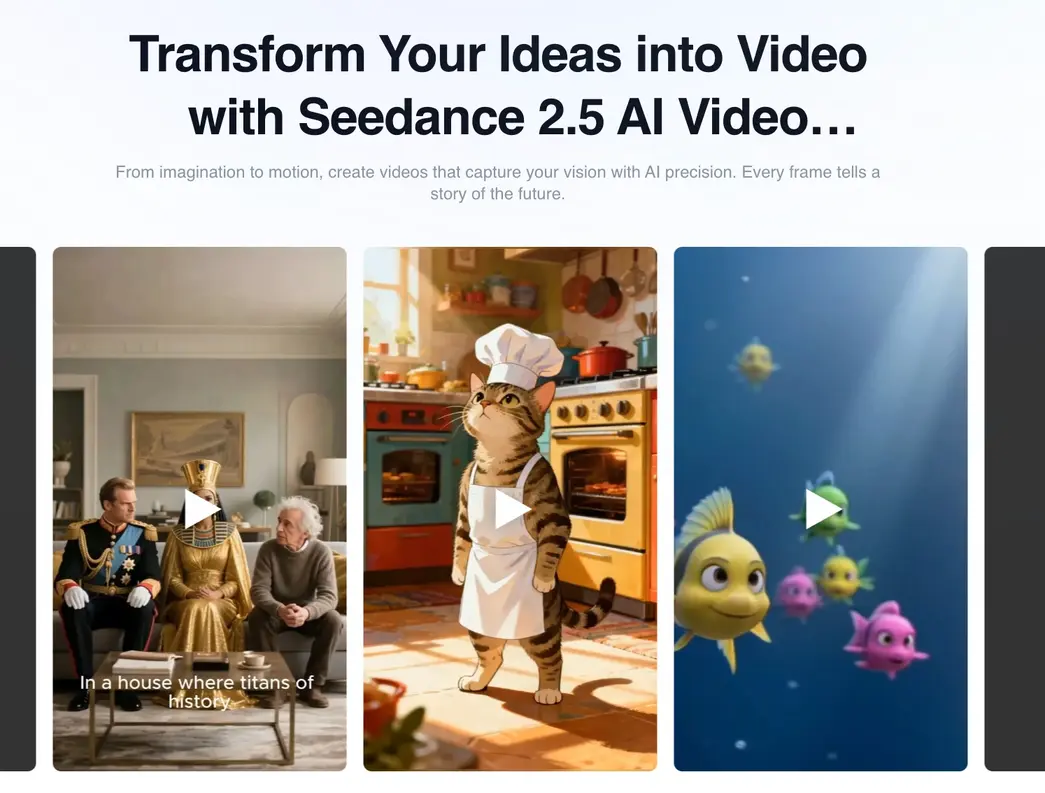
Making a video used to mean cameras, crews, editing software, and time. a lot of it. That process still exists, and it still has value. But it’s no longer the only way in. Tools like the Seedance 2.5 text to video generator are changing the starting point entirely. You write what you want, and it builds the visual from there. For businesses, marketers, and independent creators who need content without the full production overhead, that shift is worth understanding.
The move toward AI-assisted video production
Traditional production has real value. Scripting, filming, editing, color grading — these stages exist for good reasons, and they’re not disappearing. But not every video needs to go through all of them, especially early in a project when the goal is simply to figure out which direction is worth pursuing in the first place.
Text-to-video tools let creators get to a visual draft without building it manually. You describe a scene, a concept, or a campaign idea, and the tool generates something you can actually look at and react to. That feedback loop idea to visual to decision used to take days. Now it can happen in minutes.
The Seedance 2.5 text to video generator is built around this idea. Start with words, end with video, and skip the production steps that don’t need to be there. For teams that run lean and move fast, that’s not a minor convenience. It’s a meaningful change in how projects get started and evaluated.
Smarter workflows for content teams
Content teams deal with a specific kind of pressure: high volume, multiple platforms, different formats for different audiences, and tight turnarounds. AI video tools address this at the production level, not just the ideation stage.
Instead of producing one version of a video and adapting it manually for every platform, a team can generate several visual directions from the same brief and evaluate them side by side. Social media managers can test different formats for the same campaign without committing production time to each one. The experimentation happens faster, and the decisions get clearer because you’re reacting to actual visuals rather than written descriptions of what something might look like.
The Seedance 2.5 text to video generator reduces the repetitive parts of production. That’s where most of the time goes in a standard workflow — not the creative decisions themselves, but the mechanical execution of those decisions. When the tool handles that layer, creators get more time for the parts that actually require judgment: the narrative, the tone, the audience fit.
This matters especially for smaller teams. A solo creator or a two-person marketing team doesn’t have the bandwidth to produce, review, and publish high volumes of video content using traditional methods. AI generation changes what’s possible at that scale.
Where the Seedance 2.5 text to video generator is being used
Marketing teams are using text-to-video tools to produce campaign previews, product demos, and concept visuals before anything goes into full production. It’s a faster, cheaper way to evaluate a creative direction than shooting it. If the concept doesn’t land in review, you haven’t lost a shoot day you’ve lost an afternoon.
Social media creators use these tools to maintain a consistent posting schedule without burning out. Generating a rough draft from a written idea is faster than building a video from scratch, and it’s easier to edit something that already exists than to start with a blank timeline. For creators managing multiple channels, that speed compounds over time.
Writers, designers, and independent filmmakers are finding uses in earlier stages of production. If you need to visualize a scene, explore an environment, or communicate an idea to a collaborator before a shoot, a text-generated visual can do that work without requiring any specialist technical skills. It removes one of the biggest barriers in early-stage creative work: the gap between what’s in your head and what you can show someone else.
Education is another area where text-to-video generation is gaining real traction. Explaining a process visually is often more effective than describing it in text, and AI tools make that option available to educators who don’t have a production budget. A teacher or course creator can build explanatory video content from a written script without any video editing experience.
How it handles storytelling and visual consistency
One of the real improvements in newer text-to-video systems is how they handle motion and scene logic. Earlier tools produced outputs that often felt disconnected — characters moved strangely, scenes didn’t hold together, and the gap between the prompt and the result was wide enough to be frustrating.
The Seedance 2.5 text to video generator addresses this more directly. Motion stays more consistent within a scene, transitions feel less jarring, and the visual output tracks more closely to what the user described. That doesn’t mean every output is perfect — no generation tool is — but it means the results are usable more often, which is what matters in a real workflow.
For storytelling work specifically, this improvement matters. A scene that doesn’t make physical sense pulls the viewer out of the experience. Better motion handling and scene consistency mean the generated content can carry more of the narrative load without requiring heavy manual correction afterward.
Responsible use in professional settings
Generated content still needs review. A tool that produces video from a text prompt doesn’t know your brand, your audience, or your editorial standards. That judgment stays with the people using it, and it can’t be delegated to the tool.
Reviewing outputs before publishing, checking that generated material reflects what you actually want to say, and being transparent about how content was produced — these aren’t optional steps in a professional context. They’re part of using the technology responsibly. AI-assisted production works best when the humans in the workflow stay engaged with the result, not just the prompt that started it.
Originality is worth thinking about too. Generated video is built from patterns in training data, which means outputs can sometimes feel generic if the prompt isn’t specific enough. The more clearly a user defines what they want — the tone, the setting, the visual style — the more distinct the output tends to be. Specificity in the prompt is the most direct lever a creator has over the quality of what comes out.
Where this technology is heading
Text-to-video generation is getting more accurate. The gap between what you describe and what you get has narrowed considerably over the past couple of years, and the direction of development is toward even more control for the user. Better motion, more consistent character and object rendering, finer control over pacing and visual style — these are the improvements that make the tools genuinely useful in professional settings rather than just interesting demos.
The Seedance 2.5 text to video generator sits at a point where the technology is capable enough to be useful today, not just promising for the future. Creators who build it into their workflows now are developing an advantage that will compound as the tools improve. The learning curve is real but not steep, and the time saved scales with how much content you produce.
The broader shift here is about who can make video. For most of the history of the medium, high-quality video production required significant resources — equipment, skills, time, and money. AI generation is changing those requirements without changing what makes video effective: a clear idea, a defined audience, and a reason for the content to exist. The tools handle more of the production. The creative judgment still comes from the person behind the prompt.
That’s a reasonable trade, and for most creators and teams, it’s one worth making.